After you have created a new Linux instance, you might want to remote connect to it from your local workstation. There are several ways to do that, like using the Gcloud command:
gcloud beta compute ssh --zone "europe-west6-a" "my-instance-01" --project "my-project-6847321"However, if you want to access your instance a more classical way, you might want to allow a regular SSH session to be established.
In order to allow a classic SSH session:
- Go to the Google Cloud Platform Web Console
- Open Computer Engine
- Click on VM instances
- Click on the VM you want access to
- Click Edit
- Scroll down the click Show and Edit
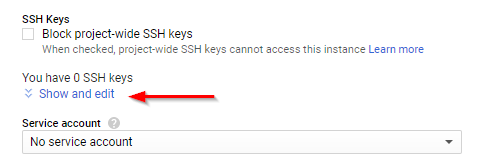
- Paste the content of your local workstation id_rsa.pub file (/home/myuser/.ssh/id_rsa.pub) into the Enter public SSH key text area.
- Click the save button.