When I tried to generate a new certificate for one of my webservers, I encountered an issue with the certsrv page, which was stuck with a CSP loading message:
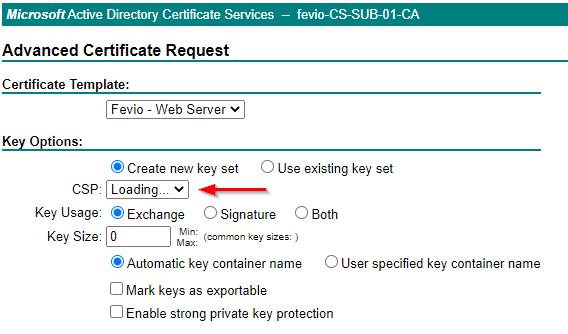
It seems related to a missmatch between the Internet Explorer security options and the security zone where your certsrv site is placed.
There a different ways to fix that, here the one that fits my needs:
- Connect to a remote session to My-Subordinate-Server
- Open Internet explorer
- Browse to https://my-subordinate-ca/certsrv
- Open Internet Explore settings
- Got to Security Tab
- Click on Trusted Sites
- Add https://my-subordinate-ca/certsrv
- You’re done!